
How we use AI to help care for you
Your GP can use AI to prepare for your appointment, spend more time listening and double-check details that could matter to your health. Your GP assesses what the AI suggests and makes decisions about your care with you.
We’ll ask before recording your appointment. You can also ask us to switch off clinical AI tools for your care.

New to DocTap? Get £5 off
Join our newsletter and get £5 off your first booking.
Thanks — we've received your details.
If there's a next step for you, we'll send it by email.
Create your DocTap account with this email address to claim your £5 off. Offer available to new patients only. Unsubscribe whenever you like.
More personal care, with more time to focus on you
- More time to listen
- With your permission, AI can draft the notes while you and your GP talk. Your GP checks and edits the draft, so they can spend less of your appointment typing while you explain what’s worrying you.
- Pick up where you left off
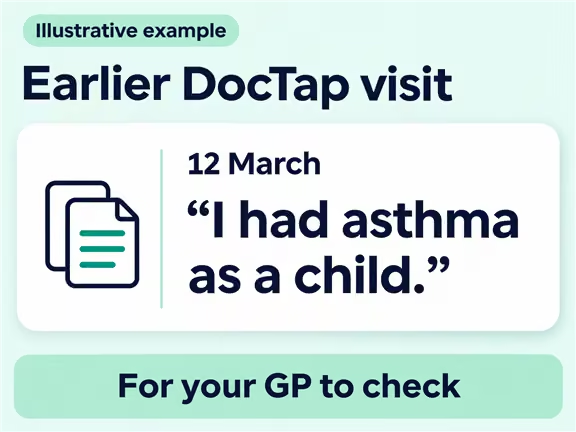
- If you’ve seen us before, AI can bring together what’s relevant from earlier DocTap visits, including what you tried and whether it helped. It can also draw your GP’s attention to an important condition mentioned in an older note. Even when you see a different DocTap GP, they can start with what you’ve already told us.
- Speak in your preferred language
- Where live translation is available, you can describe your symptoms in your own words, hear your GP’s advice in your language and ask follow-up questions as you go.
An extra safety check on your care
- Checking a prescription
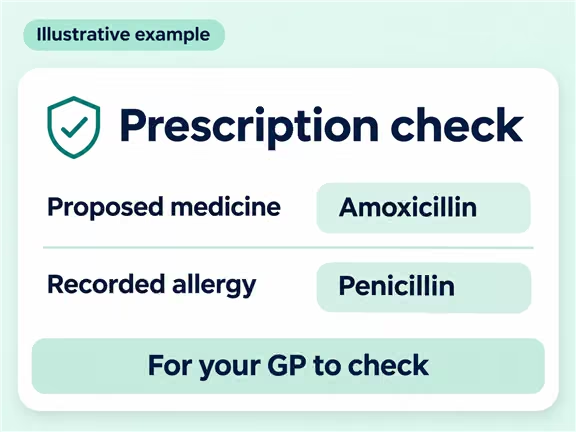
- AI can flag a dose that looks unusual, a possible interaction between medicines, or a prescription that may conflict with a recorded allergy. Your GP checks the concern and decides whether anything needs to change.
- Spotting something worth a closer look
- A symptom alongside an unusual measurement can prompt a question that either detail alone might not raise. AI can flag these details for your GP to consider alongside UK clinical guidance, including guidance from NICE.
- Taking a second look after your visit
- AI can review a completed consultation and flag a possible omission. For example, the notes might explain what to do today but leave unclear when to seek help if you feel worse. The doctor reviews the concern and records what they did or why the original advice was appropriate.
You can choose how we use AI in your care
You can say no to recording when we ask at your appointment. If you’d also like us to turn off AI summaries, drafting and safety checks for your care, contact our patient support team. We’ll record your preference, and you can change your mind later.
Your questions about AI
- Can I still see a GP if I switch off clinical AI?
Yes. Your GP will take your history, write your notes and make decisions about your care with you. Once our team records your preference, AI drafting and checks are switched off for your care going forward. Your existing medical notes stay in your record.
- Are my medical details used to train AI models?
No. Our agreements with the companies that provide these tools prohibit them from using your medical information to train their models.
- Can I use live translation without being recorded?
In clinic, yes. Live translation creates a written transcript that stays with your medical record. On video, live translation also requires your agreement to record the call.
- What if something in my notes is wrong?
You can read your consultation notes in your DocTap account. If a detail is wrong, tell your GP or contact patient support and ask us to correct it.
See a DocTap GP
Choose a clinic or video appointment. If you’d like to know more about the doctors you can see, you can read their profiles before you book.